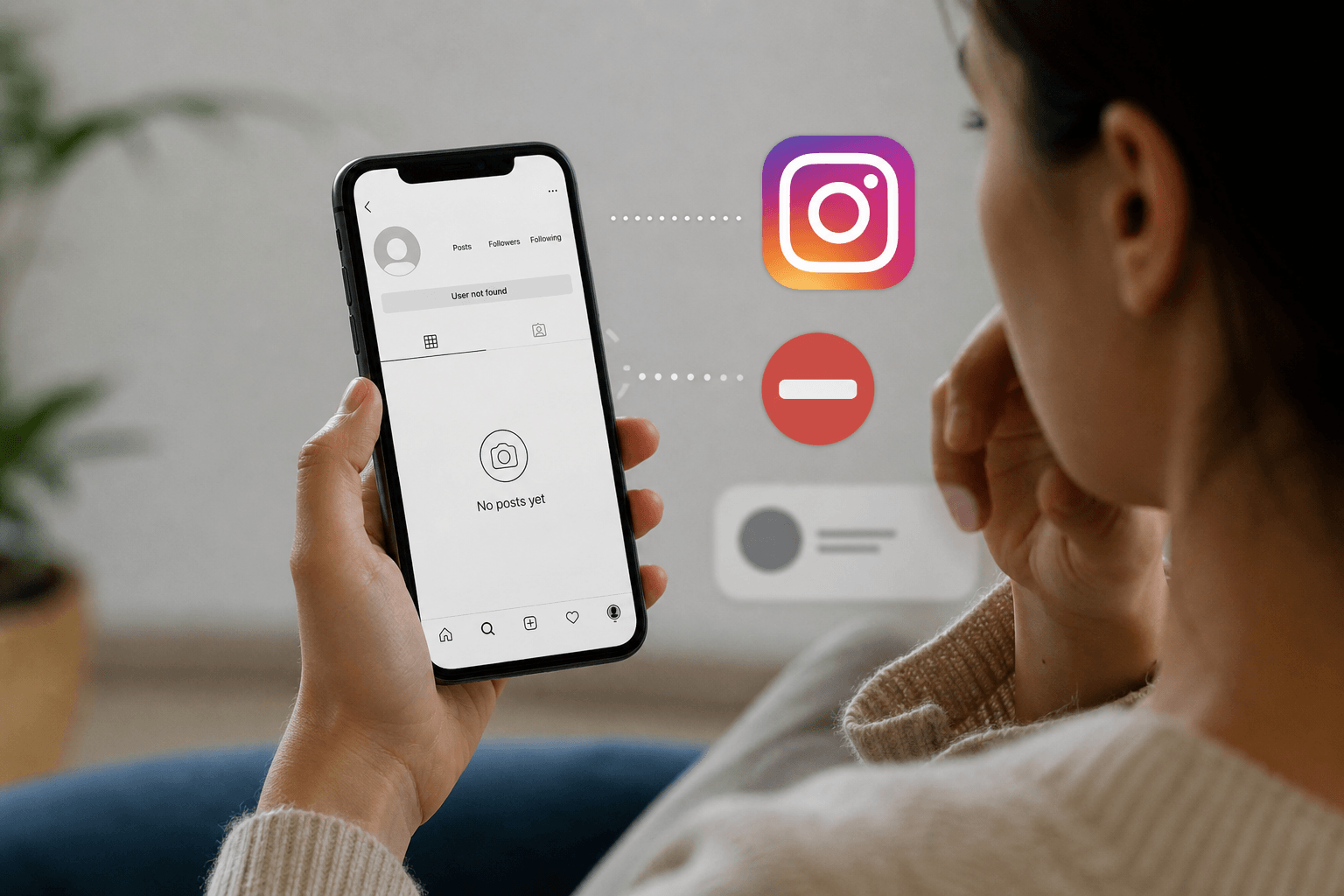
Let's be honest. We have all been there. You are scrolling through Instagram and suddenly realize you haven't seen someone's posts in a while. Or an old contact's Instagram profile seems to have vanished into thin air.
You start to wonder: Did they delete their account? Did they take a break from social media? Or did they actually use the Account Blocking feature against you?
It is an uncomfortable question to ask yourself. Meta deliberately keeps this information hidden to protect user privacy — the platform will never send you a notification saying "You have been blocked." That means you have to look for the clues yourself. In this guide, we walk through every single sign, from the obvious to the subtle, and help you tell the difference between a blocked profile, a deactivated account, and a temporary technical glitch.
What Does It Mean When Someone Blocks You on Instagram?
In simple terms, Account Blocking is a privacy tool. When someone blocks you on Instagram, they are essentially shutting a digital door in your face — removing your access to their online world entirely. It is very different from simply unfollowing you.
Think of it this way: Unfollowing is like changing the radio station because they do not like the song. Blocking is like removing your keys to their car entirely.
When a block happens, the account connection between your Instagram account and theirs is severed completely:
- Access restricted — you can no longer view their profile
- Interaction prevented — you cannot like, comment, or tag them
- Communication disabled — direct messages are cut off
- Profile hidden — their account disappears from your search results
- Content concealed — all their photos, videos, and stories become invisible to you
- User disconnected — the follower relationship is removed in both directions
- Privacy enforced — Instagram protects the blocker's experience from your account
Instagram designed this feature to help users feel safe. If someone is experiencing harassment or simply wants a clean break, blocking ensures the blocked user cannot see their content or reach out in any way.
What Are the Most Common Signs That Someone Has Blocked You on Instagram?
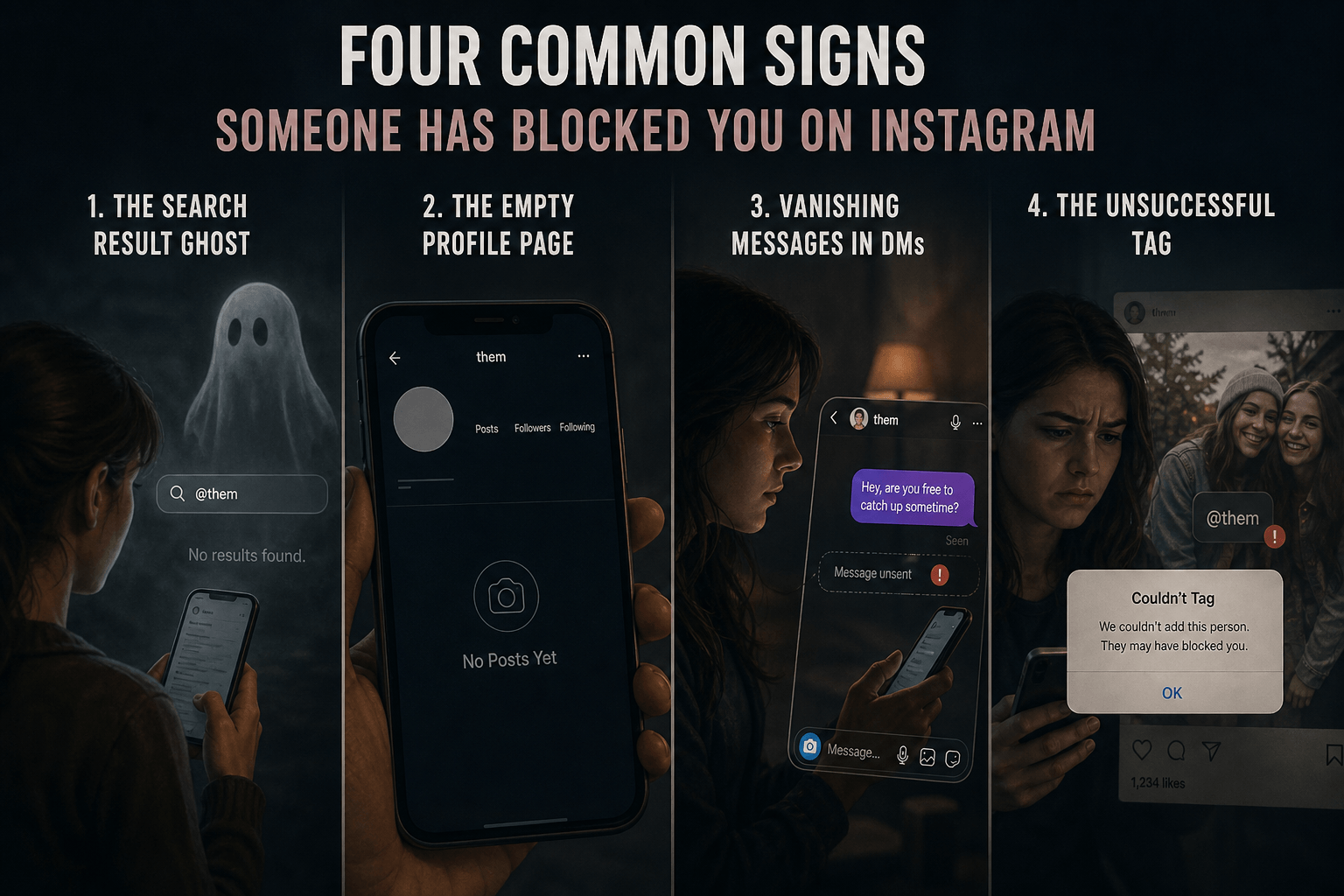
Instagram does not send out a block notice, so you have to look for behavioral changes in the app. Here are the four most reliable red flags.
The Search Result Ghost
You open Instagram, type their username exactly as you remember it into the Search bar, and nothing appears. The profile simply does not show up. This is usually the very first sign people notice — the username is absent from your search results entirely.
The Empty Profile Page
You access the profile via an old link or notification. You can see their username, but the grid is completely blank — no bio, no posts, no profile photo. The Follow button is unavailable and any attempt to interact is disabled. This is the classic "ghost profile" that confirms a block.
Vanishing Messages in DMs
You open your Instagram Direct Messages. The conversation thread is still there, but their profile picture has been replaced by a default grey silhouette. When you try to click their name, nothing happens — the link is broken and interaction is completely disabled for new messages.
The Unsuccessful Tag
You try to tag them in a photo or a comment. As you type their username, Instagram's autocomplete does not suggest their name. It is as if the account does not exist — because for your account specifically, it does not.
Can You Find a Blocked Person's Profile Through Instagram Search?
The search bar is the quickest first test, but you have to interpret the results carefully. Open Instagram, tap the magnifying glass icon, and type their exact username.
| What You See in Search | Most Likely Explanation |
|---|---|
| Profile does not appear at all | You are blocked or the account was deleted |
| Profile appears but clicking it shows an error | You are blocked or username recently changed |
| Profile appears and loads normally | Not blocked — they may have unfollowed you or restricted you |
| Profile shows but only partially loads | Likely a temporary Instagram glitch — try again in a few hours |
A missing search result is a strong clue, but it is not conclusive proof on its own. A deleted or deactivated account produces the same result for everyone, not just you. That is why you need to cross-check using the methods below.
What Happens to Your Previous Direct Messages If Someone Blocks You?
Your DM thread is like a time capsule. When someone blocks you, Instagram does not delete the chat history on your side — but the data inside it changes significantly. Here is what to look for:
- Check the username. If their handle has been replaced with "Instagram User," that is a significant red flag — though it more commonly points to account deactivation rather than a block.
- Check the profile photo. If their custom photo is gone and replaced with a blank grey circle, that is another strong indicator.
- Click the name at the top of the chat. If you get an error, the page refuses to load, or you see a blank profile with no posts, you have likely been blocked.
| Indicator in DMs | What It Most Likely Means |
|---|---|
| Profile picture missing — replaced by default grey icon | High chance of a block or deactivation |
| Username changed to "Instagram User" | Usually indicates account deactivation |
| Can tap name — sees "No Posts Yet" on a private profile | You are likely just unfollowed or restricted |
| Can tap name — screen is blank with no bio or posts | Confirmed block (Ghost Profile) |
Your historical messages are preserved as a record, but the live connection is gone. Any new messages you attempt to send will never be delivered.
Why Does an Instagram Profile Appear Unavailable After Being Blocked?
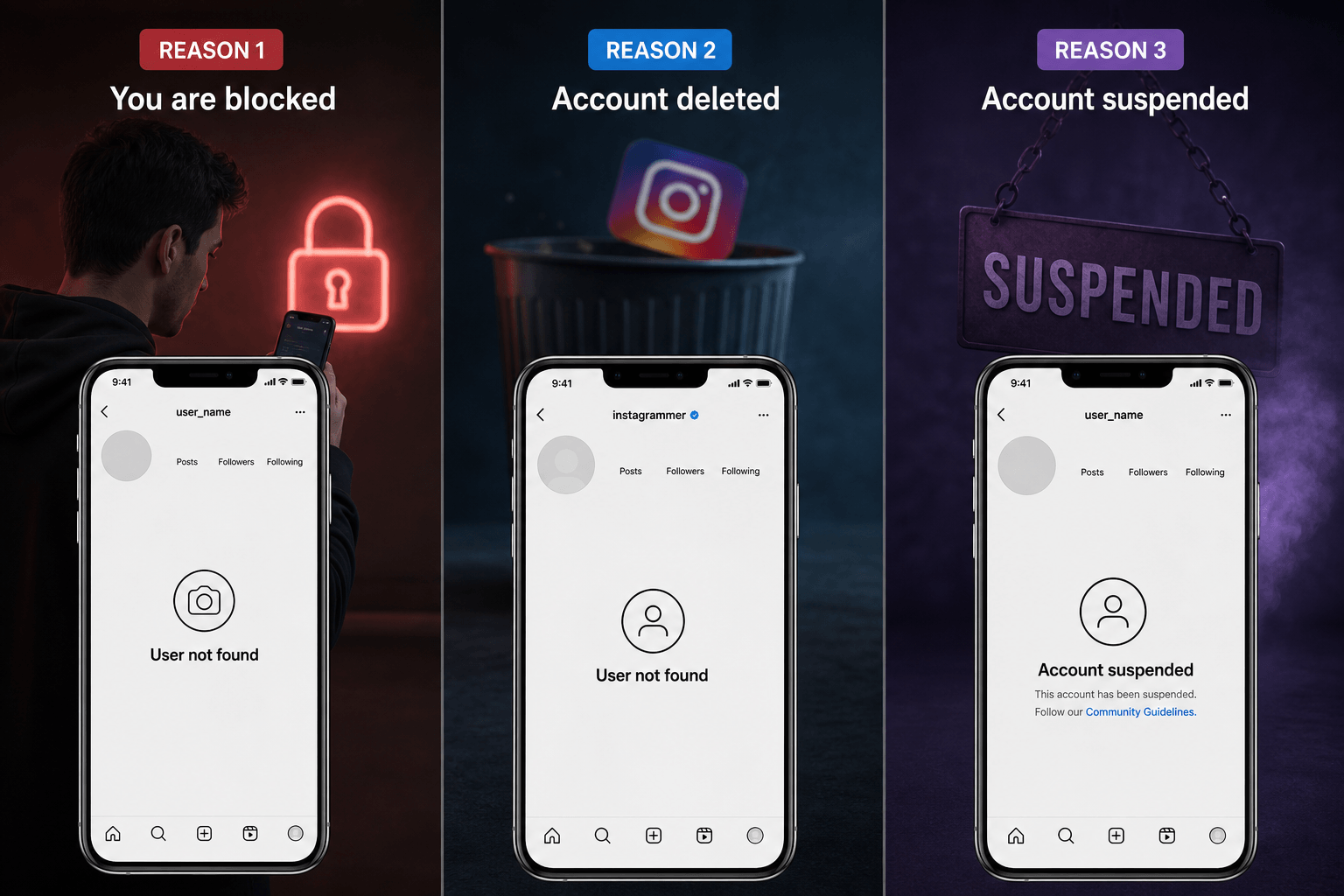
Have you ever clicked a link and seen the message: "Sorry, this page isn't available"? This is the digital wall. When you are blocked, Instagram intentionally prevents your device from loading that person's data. The profile becomes unavailable to your specific account.
⚠ Important: The "Sorry, this page isn't available" message appears for three different reasons — not just a block. Always cross-check before drawing conclusions.
How Can You Check If Posts and Stories Disappeared Because of a Block?
Before they disappeared, did you used to see their Instagram Stories as bubbles at the top of your feed? If they blocked you, those bubbles will be completely gone. All their photos, videos, and stories become inaccessible from your account.
Here is a useful nuance: if they muted you, their stories would still exist — you just would not see them at the top of your feed. A block removes all traces entirely.
Check mutual friends' posts. If you remember this person regularly commenting on a mutual friend's vacation photos — scroll down. If you used to see their comments and likes everywhere, and now there is absolutely no trace of their interaction, that is a strong sign. When you are blocked, their past interactions are hidden from your view on your feed.
Can You Still See Mutual Followers and Following Lists After Being Blocked?
No. This is one of the cleanest ways to confirm your suspicion. If you were connected to this person, blocking erases that connection — their name disappears from your visible social graph entirely.
The Mutual Friend Test (Step by Step)
Go to a mutual friend's profile
Navigate to the Instagram profile of someone you know is also connected with the person you suspect blocked you.
Open the Followers list
Tap the Followers count on their profile to open the full list. Search for the suspected person's username.
Tap their name if you find them
Profile loads but shows no posts = You are blocked (Ghost Profile). Profile loads normally = You were not blocked — they may have just unfollowed you. Cannot find them at all = Very likely blocked, or account is gone.
How Do You Verify Whether an Account Blocked You or Was Simply Deleted?
This is the most important distinction. You do not want to accuse someone of blocking you if they simply took a break from Instagram. Here is the definitive two-method test.
Method A: The Incognito Browser Trick
- Open Chrome or Safari on your phone — do not use the Instagram app.
- Go to
www.instagram.com/their_username(swap in their actual handle). - If you see their profile (even without being logged in to see all photos), the account is active — meaning you are likely blocked.
- If you see the "Sorry, this page isn't available" message, the account might be deleted, deactivated, disabled, suspended, or the username may have changed.
Method B: The Friend's Phone Test (Most Reliable)
Ask a trusted friend to search for the same username on their Instagram account. Then compare results:
| Your Search Result | Friend's Search Result | Conclusion |
|---|---|---|
| Cannot find profile | Cannot find profile | Account deleted, deactivated, disabled, or suspended |
| Cannot find profile | Can find profile & it loads | You have been blocked — confirmed |
| Can find profile | Can find profile | Not blocked — possibly restricted or unfollowed |
If the profile is searchable and accessible from another account but not from yours, that confirms the block with near certainty.
What Is the Difference Between Being Blocked and Being Restricted on Instagram?
This is a very common point of confusion. Many people think "Restrict" is a softer form of blocking — but it is fundamentally different in how it works and what you experience.
- Profile completely hidden from you
- You cannot see their posts or stories
- Messages are completely disabled
- Obvious restriction — profile disappears
- You will likely notice immediately
- Profile fully visible and accessible to you
- You can still see their posts and stories
- Messages go to a hidden request folder
- Silent restriction — you never know
- You may never realize it happened
| Feature | Blocked | Restricted |
|---|---|---|
| Can you see their posts? | No | Yes |
| Can you send them messages? | No | Yes (goes to requests) |
| Can you see their stories? | No | Yes |
| Does the profile disappear? | Yes — profile vanishes | No — silent restriction |
| Do they know you are limited? | Yes (obvious) | No (invisible to them) |
The rule of thumb: if you can still see their profile but your comments get no replies, you might be restricted. If the entire profile has vanished, you are blocked.
How Can You Tell the Difference Between Being Blocked and Being Unfollowed?
Unfollowing is far less severe than blocking. The key difference comes down to visibility and access.
- Profile completely inaccessible
- Connection severed in both directions
- Content hidden from you
- Messaging entirely unavailable
- Profile unsearchable from your account
- Profile still fully accessible
- Only their follower connection removed
- Content still visible (if public)
- Messaging still available
- Profile still searchable normally
If you were unfollowed, you can still visit their profile, see their public posts, and send a direct message. You could even send them a new follow request. If you are blocked, none of that is possible.
What Happens When You Try to Visit a Blocked User's Profile Through a Direct Link?
Let's say you have their old profile link saved: instagram.com/johndoe. If you are blocked, clicking that link inside the Instagram app will lead you to an error page — the page is unavailable, and "User not found" is the message, even though the user very much exists.
💡 The incognito browser trick: Open that same profile URL in an incognito browser tab where you are not logged into Instagram. If the page loads perfectly when logged out, that is the clearest possible confirmation of a block. Instagram recognizes you are "User A," applies the block rule, and refuses to load the page for your logged-in session specifically.
Can Another Instagram Account Help Confirm Whether You Have Been Blocked?
Absolutely. This is the smoking-gun evidence. If you have a second Instagram account (a personal backup or business account), log into it and search for the person.
- If their profile loads immediately with pictures, stories, and a bio on the second account — but you cannot see it on your main account — the case is closed.
- Search result found on the second account but absent on the first — block confirmed.
- Profile accessible on the second account but access denied on the first — block verified.
⚠ Important caution: Do not harass the person from your second account. The purpose is simply to satisfy your curiosity — not to bypass their boundary. Attempting to contact someone who has blocked you violates their privacy and Instagram's community guidelines.
Why Might an Instagram Account Appear in Search Results But Not Open?
This is a rare but real scenario: the username shows up in the search dropdown, but when you tap it, you get a white screen or an error. There are several possible explanations:
- Instagram Glitch: A temporary technical loading issue. Force-close the app and try again — this usually resolves itself within hours.
- You are blocked: The account is blocked specifically against your account. This is persistent and permanent until the user unblocks you.
- Username change: The old handle still appears in cached search results but leads nowhere because the profile has moved to a new username.
- Temporary restriction from Instagram: The account may have been temporarily limited by Instagram's enforcement systems.
- Search index delay: The Instagram search index has not yet updated to reflect a recent deletion or username change.
- Suspended account: The account violated Instagram's guidelines and was suspended — it appears in cached search but will not load.
If the problem persists for more than 24 hours, and only that specific account fails to load while all other profiles load normally, it is most likely a block.
What Are the Limitations of Instagram's Blocking Feature?
While blocking is a powerful privacy tool, it is not absolute. Here is what a block does not do:
- Group chat visibility remains: Even if you are blocked, you may still see their messages in a group chat that includes other people.
- Historical messages are preserved: Your past DM thread stays in your chat history. The messages are visible to you as a record, even though new communication is disabled.
- Mutual content visibility varies: On a mutual friend's public post, you might still see their like or comment depending on how Instagram's algorithm serves that data. The blocking scope is limited in these shared spaces.
- External access remains possible: The blocked user can still see the blocker's content on other platforms or via a browser if they log out of Instagram entirely.
- Platform constraints apply: Instagram's block only works on Instagram. It does not carry over to Facebook, WhatsApp, or other Meta products.
- Shared public spaces remain accessible: In shared comment sections on major public accounts, both parties may still encounter each other's activity depending on how content is cached.
Can Private and Public Accounts Block Users Differently?
Technically, the block feature works identically regardless of whether the blocker has a public or private account. A block is a block.
The visual experience, however, differs slightly based on account type:
- If they have a public account: Their public profile is hidden from you entirely. Had they not blocked you, you would see all their posts openly — but since you are blocked, you see an empty or inaccessible profile.
- If they have a private account: Their private profile is equally hidden. Had they not blocked you, you would see a locked profile with a Follow Request option — but since you are blocked, you again see nothing.
In both cases, your experience as the blocked user is the same: a blank or inaccessible profile, and no way to interact. The account type only affects what the profile would have looked like without the block.
What Should You Do If You Think Someone Has Blocked You on Instagram?
First, take a deep breath. Social media is not real life, and being blocked by someone does not define your worth.
Verify carefully first
Do not jump to conclusions. Consider alternative explanations — a deactivated account, a username change, or a temporary technical glitch can all produce the same symptoms as a block.
Use the incognito browser or a second account
Check the direct profile link in a logged-out incognito browser tab. Or ask a trusted friend to search for the username. These are the most reliable confirmation methods available.
Confirm through evidence before deciding
Review account status using multiple methods. One sign is not enough — look for consistent results across the search bar, DMs, profile URL, and a second account.
Respect their decision
If you confirm you are blocked, respect their privacy. Avoid repeated searches from multiple accounts, do not send follow requests from new accounts, and do not use third-party verification apps. That behavior justifies why they may have blocked you in the first place.
Accept uncertainty and move on
If you cannot confirm one way or the other, accept that alternative explanations still exist and move forward. Blocking is often about the blocker's own needs — not a reflection of your worth as a person.
Is There Any Official Instagram Notification When Someone Blocks You?
No notification. No alert. No warning. Instagram handles blocks with complete silence. This is an intentional design decision rooted in user safety. The platform protects the blocker's identity by keeping the action undisclosed — meaning you will never receive a direct confirmation from Instagram itself.
The reason is practical: if Instagram told every user who had blocked them, it could lead to offline confrontations or escalated harassment. By keeping the block silent, Instagram ensures the person who needed protection actually gets it.
You must rely on the detective work described throughout this guide to figure out where you stand.
Can You Contact Someone Through Instagram After Being Blocked?
Contact is impossible through Instagram once a block is in place. Every communication channel is disabled:
- Direct messages cannot be sent — the Send button will be greyed out or messages will never show as "Delivered"
- Instagram voice calls are unavailable
- Instagram video calls are unavailable
- Mentions in captions will not autocomplete their username
- Tags on photos or posts will not work
- Commenting on their posts is disabled because you cannot see their posts at all
You are effectively unreachable to them — and they are unreachable to you — through the Instagram platform for as long as the block is active.
What Are the Most Reliable Ways to Confirm an Instagram Block Without Violating Privacy?
If you want to be as certain as possible without doing anything intrusive, follow this nine-step checklist:
When multiple methods align to the same result, the conclusion is confirmed. You are either connected or disconnected — and now you know which one.
What Misconceptions Do People Have About Being Blocked on Instagram?
This is the most common mistake. A deleted account is inactive for everyone. A block is active but hidden from you specifically. Always verify using a friend's account or an incognito browser — if others can find the profile, the account exists and you are blocked.
Unfollowing keeps the profile visible and accessible to you. If you can still visit their profile, see their posts, and send a message, you have only been unfollowed — not blocked. The two actions produce very different experiences.
Temporary technical errors cause loading issues that resolve on their own, often within a few hours. If you suspect a block, wait 24 hours and check again. If the issue is consistent across days and affects only that specific profile while all others load normally, it is more likely a block than a glitch.
They are very different. Restriction is silent — you can still see the profile, view posts and stories, and send messages (though they go to a hidden request folder). If the entire profile has disappeared from your view, you are blocked, not restricted.
Not necessarily. The person might simply have not posted any stories recently. Also, if you muted them, their stories still exist — you just do not see them at the top of your feed. A block removes all traces completely, but story absence alone is not proof.
A username change means the old handle simply leads to a different profile or an error — not necessarily a block. If you know their new username, search for it. If the profile loads normally for others but not for you, then you are blocked.
Someone might be busy, away from the app, or may have simply chosen not to reply. If your messages still show as "Delivered" (or "Sent"), you are not blocked. A true block prevents delivery entirely — the message will never show as delivered.
Frequently Asked Questions
You will not receive any notification. Instead, look for these signs: their profile does not appear in your Instagram search, clicking their profile URL shows "Sorry, this page isn't available," their DM profile picture is replaced by a grey silhouette, and you cannot tag them in posts or comments. To confirm, check the same profile from a friend's account or an incognito browser — if it loads for them but not for you, you are blocked.
No. Instagram never sends a notification when someone blocks you. The action is completely silent and undisclosed. You must discover it yourself by looking for behavioral changes such as a missing profile in search, a blank profile page, or an inaccessible DM thread.
Blocking hides the blocker's profile completely — you cannot see their posts, stories, or send messages, and you will notice because the profile vanishes. Restricting is a silent partial action: the restricted person can still see the profile and send messages, but messages go to a hidden request folder and comments are hidden from others. The restricted person never knows it happened.
Ask a friend to search for the username on their Instagram account. If the profile loads for them but not for you, you are blocked. If the profile is invisible to everyone — including in an incognito browser — the account has likely been deleted, deactivated, or suspended.
Yes — your existing DM thread is preserved as a historical record. However, you cannot send new messages, and any you attempt will not be delivered. The profile picture in the thread will be replaced by a default grey icon.
No. Once blocked, all contact methods are disabled — direct messages, voice and video calls, mentions, and tags. You cannot view their profile, interact with their content, or reach them through Instagram in any way while the block is active.
A block does not delete existing DM history, does not remove their past likes or comments from group chats, does not carry over to other Meta platforms like Facebook or WhatsApp, and does not prevent them from seeing your public content if they log out of Instagram and use a browser. In shared comment sections on major public accounts, both parties may still encounter each other's activity.
📈 Is your brand just as invisible online as a blocked Instagram profile? If potential customers cannot find your business in search results, the problem is the same — and the fix requires strategy. The Webperts Digital Marketing team runs data-driven SEO, PPC, and social campaigns engineered to make your business visible to exactly the right audience. And if you need a digital presence that converts those visitors once they find you, our Custom Web Design service builds fast, mobile-first websites built to rank and sell.
Take Control of Your Digital Presence
Navigating the nuances of social media algorithms, privacy settings, and user behavior can be exhausting. But understanding whether you are visible or hidden online applies far beyond Instagram — it applies directly to your business.
Do you know if customers can find you online? Are you invisible in search results, just like a blocked profile? Is your content visible or hidden? Accessible or inaccessible? Searchable or unsearchable?
The Webperts team has developed a unique set of methods and strategies to cut through the digital noise. They specialize in comprehensive website audits that pinpoint exactly why your traffic might be hiding — and build clear, data-driven plans to bring it back. Whether you need a stronger digital marketing strategy or a high-performance website that converts visitors into customers, the Webperts team is ready to help.
Stop Guessing. Start Getting Found.
Submit your website for a comprehensive audit. Let the Webperts team illuminate the path to better search rankings and higher engagement.
Request Your Free Audit →